Your own corporate design
An HTML report goes into a print template. This holds for pivotkit render,
pivotkit-report's render() and a server's render_view. The command line comes with two templates
to start from:
pivotkit example templates      # writes corporate.template.html and minimal.template.html
pivotkit example sales          # data and views to try them with
pivotkit render sales-chart.pivotkit.json --data sales.csv --template corporate.template.html -o corporate-report.html
Open corporate-report.html in a browser. Then copy the template you like and adapt it. The same
files are on this site: corporate.template.html,
minimal.template.html.
The two templates
| Corporate | Minimal | |
|---|---|---|
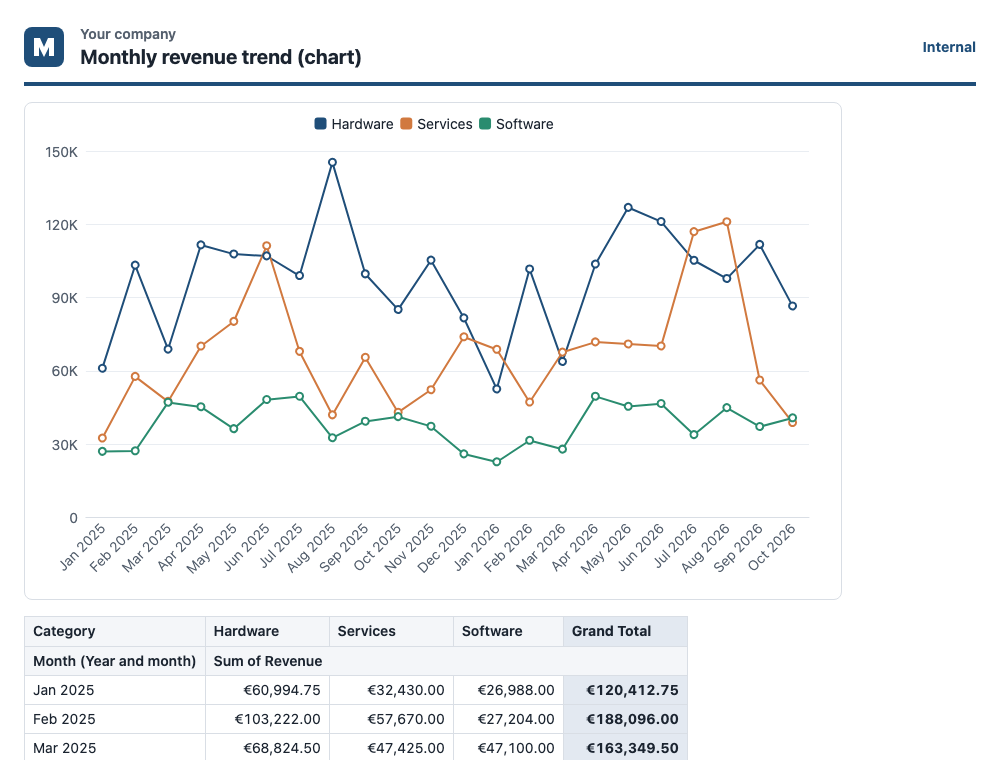
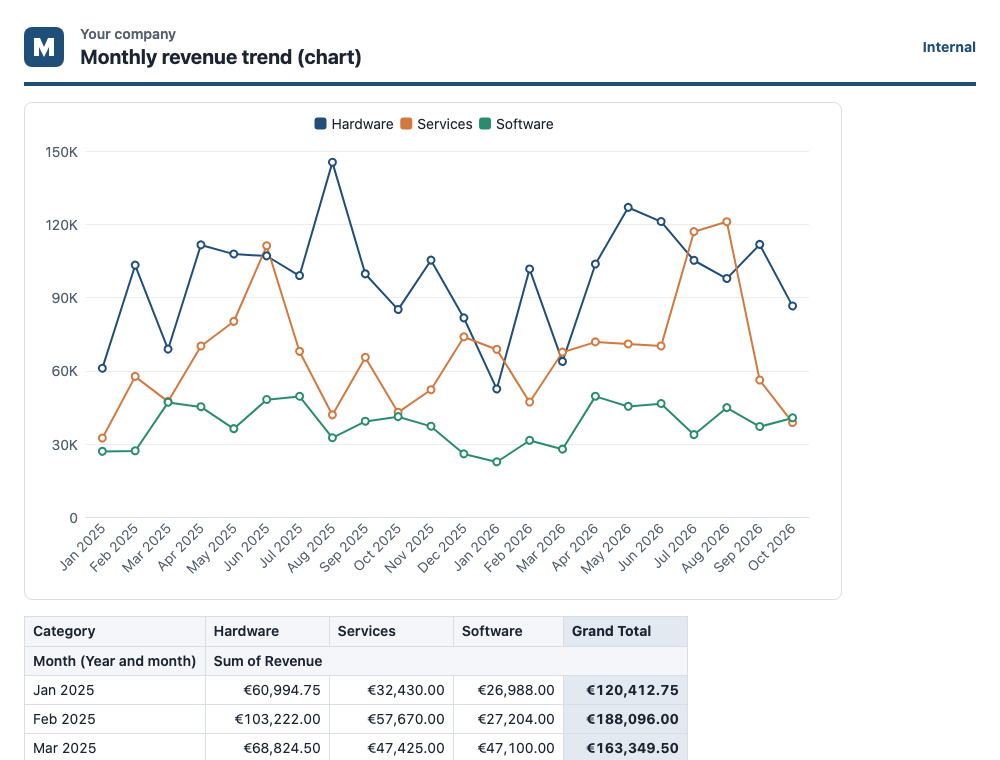
| What it shows | A header with your logo, company name, title and an "Internal" note; the chart and the table; a footer with source, rows, filters, when it was made and an internal-use line | The title, the chart, the table and the details |
| Light and dark | Always light, a document: data-pk-theme="light" on <html> and color-scheme: light, on every screen and on paper |
Light or dark after the reader's system on a screen, light on paper |
| Colours | Its :root rule sets every colour token the report uses, so nothing of the system's theme mixes in |
None of its own: the report's tokens, which meet WCAG AA in both schemes |
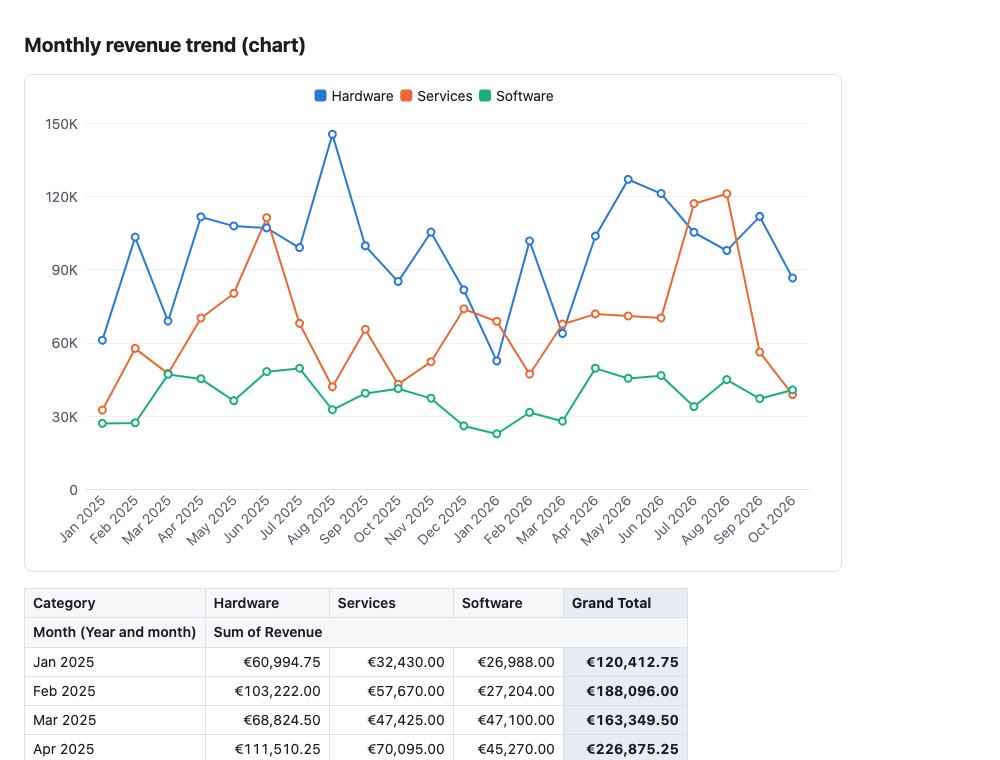
Corporate, on a light and on a dark screen alike:
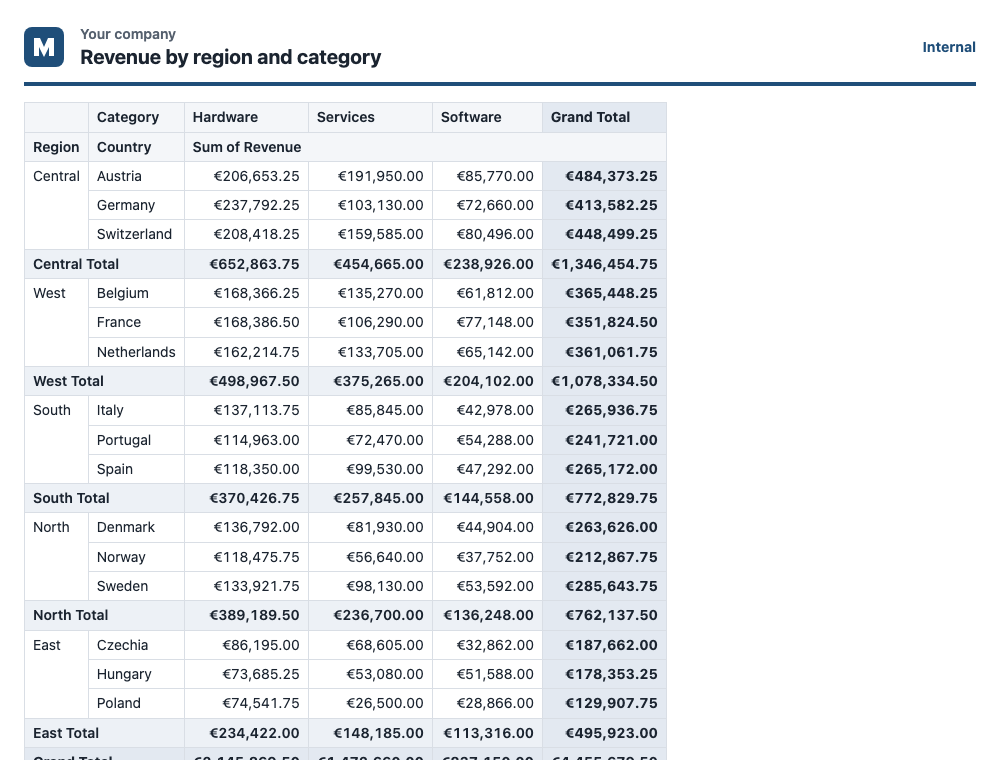
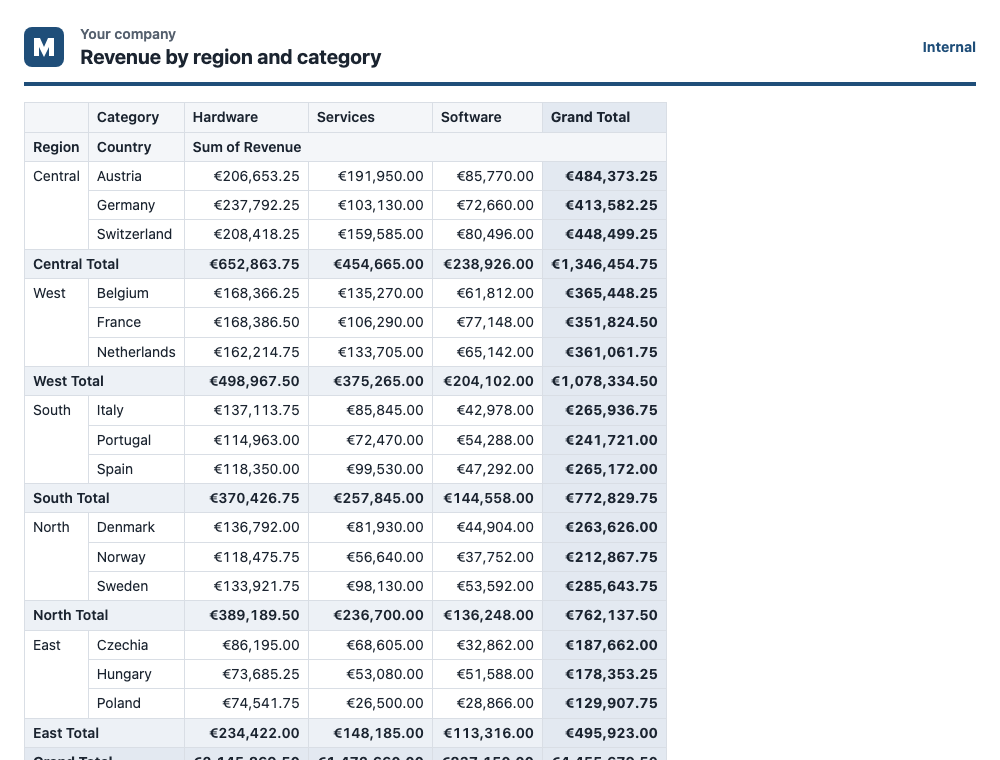
Its chart takes the template's colours, the company colour first:
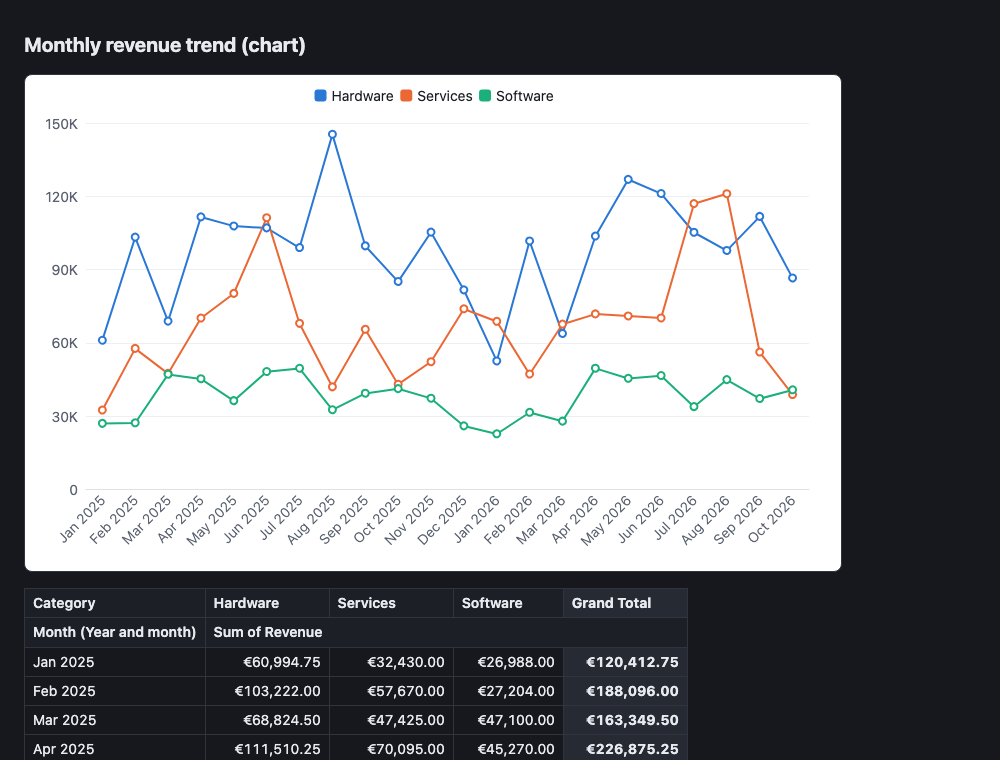
Minimal follows the theme of the site you read this in. The chart keeps its light card:
Make it yours
-
Logo. Replace the
srcof<img class="co-logo">with your logo as adata:address. The report's Content-Security-Policy loads nothing from an address (a logo). To turn the file into adata:address:- Encode it:
base64 -i logo.svgon macOS,base64 -w0 logo.svgon Linux, or[Convert]::ToBase64String([IO.File]::ReadAllBytes("logo.svg"))in PowerShell. - Write
data:image/svg+xml;base64,before it. For a PNG, writedata:image/png;base64,.
The slot is 40 x 40 px. For another shape, change
width,heightand the size in.co-logo. Leave itsaltempty while the company's name stands next to it as text. Keep the logo an<img>. Do not copy an inline<svg>into the template. The browser draws an image on its own, but the<style>of an inline SVG applies to the whole report, its table and chart included. - Encode it:
-
Company name and texts. "Your company", "Internal" and the footer's labels ("Source", "Data", "Filters", "Generated") are text of the template. Write your own, in your language. If you leave them, every report says "Your company" and "Internal". The values next to the labels are placeholders. The report fills them in its locale.
-
Colours. Change the tokens in the template's
:rootrule.--pk-accentis the company colour, a token of this template only. The header's line and the "Internal" note use it. The first series and the colour scale's strong end take it withvar(--pk-accent). The other tokens are the report's:Token Where --pk-surface,--pk-textThe page and its text --pk-surface-2,--pk-mutedHeader cells; secondary text (the company name, the footer) --pk-surface-raisedNot drawn by the HTML report (the report on a page draws its menus and the chart's tooltip with it); set so the block works there too --pk-border,--pk-border-strong,--pk-gridThe table's lines, the chart's axis and grid --pk-total,--pk-total-strongSubtotal and grand total rows --pk-chart-1...--pk-chart-8The chart's series, and data bars ( --pk-chart-1)--pk-heat-low,--pk-heat-highThe heatmap --pk-scale-low,--pk-scale-high(and--pk-scale-mid, not set)A colour scale in the table whose view names no colours; Corporate takes the heat colours for them Keep text at 4.5:1 against what is behind it, and lines and marks at 3:1 (theming). Colours and font of your template explains how the chart reads these values and which colour forms it takes.
-
Font. Set
font-familyon.pk-report, or onbodyafter{{style}}. The page and the chart take it. The report loads nothing, so name fonts the readers have installed, with a system font after them. - Parts. The print template page lists every placeholder.
Corporate's footer shows source, rows, filters and when the report was made. So it leaves out
{{details}}, which shows the same as a list. The report leaves out a part without a value, such as the source when a report has none. Keep the Content-Security-Policy first in<head>, and{{style}}before your own<style>. The policy keeps a copied template safe to open. Without it, a template that loads a font, an image or a script from an address would load it in every reader's browser.
Light or dark
Corporate is light everywhere on purpose: a document read on a dark screen looks as it prints. To
offer dark on a screen, change data-pk-theme="light" on its <html>:
data-pk-theme="dark": dark on every screen, light on paper.- No
data-pk-theme: light or dark after the reader's system, light on paper.
On a dark screen, the report's dark tokens then win over the template's :root colours. Corporate
sets its company colour for a dark screen in the same two rules the report uses:
:root:not([data-pk-theme="light"])on a dark system:root[data-pk-theme="dark"]on any screen
Put your own dark colours into a rule for the dark screen, as dark mode describes.
A logo drawn for a light background may not read on a dark one. You have two choices:
- Draw it so it reads on both. The placeholder is a white mark on a tile of the company colour.
- Give it a second
<img>for a dark screen and show one of them, with these rules after the template's own:
<img class="co-logo co-light" alt="" width="40" height="40" src="data:image/svg+xml;base64,...">
<img class="co-logo co-dark" alt="" width="40" height="40" src="data:image/svg+xml;base64,...">
.co-dark { display: none; }
@media screen and (prefers-color-scheme: dark) {
    :root:not([data-pk-theme="light"]) .co-light { display: none; }
    :root:not([data-pk-theme="light"]) .co-dark { display: block; }
}
@media screen {
    :root[data-pk-theme="dark"] .co-light { display: none; }
    :root[data-pk-theme="dark"] .co-dark { display: block; }
}
Check it
- On screen: open the report in Chrome, Firefox and Safari. Set the system's appearance to light
and to dark, or use the developer tools'
prefers-color-scheme. - In print and as PDF: use the browser's print preview, and "Save as PDF" there. Print is always light. The header row repeats on every page. A table wider than 8 columns prints landscape.
- Contrast: every text needs 4.5:1 against what is behind it, the header and the footer too.
The tests check both templates this way:
- in Chromium, Firefox and WebKit
- with a light and a dark system theme
- on screen and in print
- over a table with a colour scale, data bars and a chart
- every text at 4.5:1 or more
Use it
| Where | How |
|---|---|
| Command line | pivotkit render <view> --data <file> --template corporate.template.html -o report.html (pivotkit-cli) |
| Code | render(view, rows, { format: "html", template: await readFile("corporate.template.html", "utf8"), echarts }) (pivotkit-report) |
| Server | sources.<id>.template in its configuration, a path relative to the configuration file. It applies to every HTML report of that source (pivotkit-mcp options). check-config and the start check it, so a typo in a placeholder stops the start with the line it is on. |