Behaviour reference
Look things up here when the report does something you did not expect: a greyed-out button, a message at the bottom, a note above the result, an empty table.
Greyed-out buttons and entries
A button or menu entry that would do nothing is greyed out. Where the reason is not obvious, a short line under it says why, only while it is greyed out.
| Entry | Available when |
|---|---|
| Undo, Redo | there is a step to take back or to repeat |
| Reset | the report differs from the start view |
| Views, New, empty report | a field is placed ("The report is empty already.") |
| Export, every entry | a field is placed ("Add a field first.") |
| Export, Chart image (.png) | the chart is shown and drawn ("Switch to Chart first.") |
| Options, Help, Show dismissed tips again | you dismissed a tip |
| Options, Help, Reset menu sections | a menu section is open or folded other than at first |
| Options, Expand all, Collapse all | it changes something; the line under it says why not ("Nothing is collapsed.", "Needs two or more fields in Rows.", "Every group is collapsed already.") |
| Options, Grand total row, Grand total column, Row subtotals, Column subtotals | it changes something in this layout; the line under it says what it needs |
| Views, Save “…” | a saved view is loaded and you may change it: greyed out for a shared view you may not change ("Shared view: you cannot change it. Use Save as."), for a view opened from a file or a link ("Not saved yet. Use Save as.") and while no field is placed ("Add a field first.") |
| Views, the button next to the name field (Save, Save as) | the name holds text |
| Chart type, Display, Labels (pie and donut) | value labels are not Off |
| Load view, Load | the box holds text (a chosen file loads at once) |
| The chart title's Apply | the title differs from the current one |
Status messages
Notes such as "Undone: Region removed", "View “Sales” saved" or "Exported pivot.xlsx" appear at the bottom right of the part of the report you see: under the table, or at the bottom of the window when the report reaches below it. A screen reader hears them. Adding a field shows none: the chip is the feedback.
| Kind | Example | Stays |
|---|---|---|
| Note | "Region removed" with Undo, "New, empty report" with Undo, "View “Sales” saved", "View loaded", "Opened the view from the link", "Table copied: tab-separated, pastes into Excel or Google Sheets as columns" | 6 seconds; longer while the pointer is on it or the focus is in it |
| Warning | "View loaded; some parts did not fit this data" | like a note; the details stay above the result (below) |
| Error | "Export failed: ..." | until you close it with its x |
At most two show at a time. A save closes the Views menu (the focus goes back to Views, or More), so the note "View “…” saved", or why it was not saved, is what tells you the result.
Parts of a view that were not used
A saved view (shared or your own), a link or a loaded file can name things the data does not have (a field that is gone, a value the field cannot compute) or settings this version does not know. The report leaves them out, shows the rest, and puts a warning above the result: "3 parts of this view could not be used".
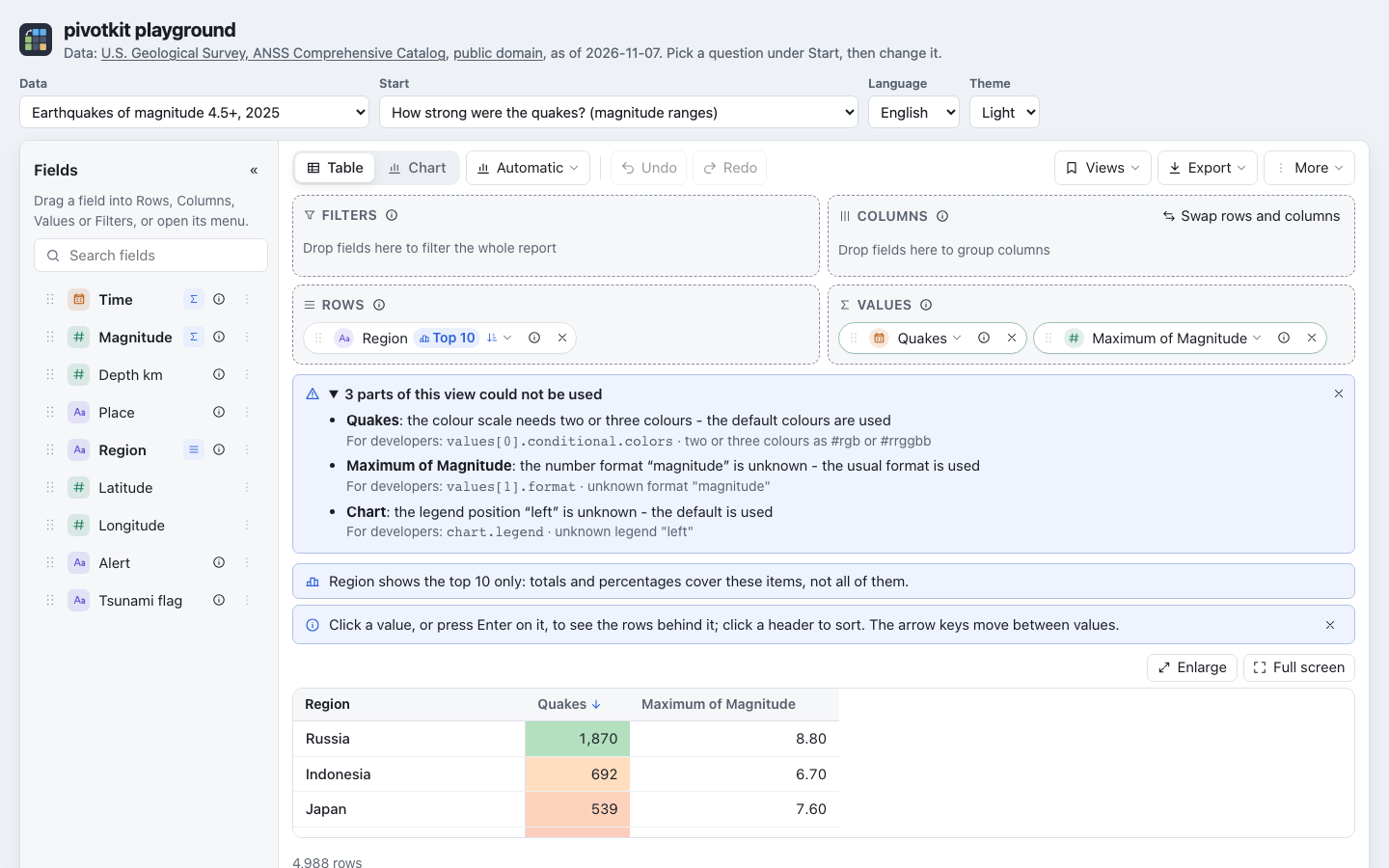
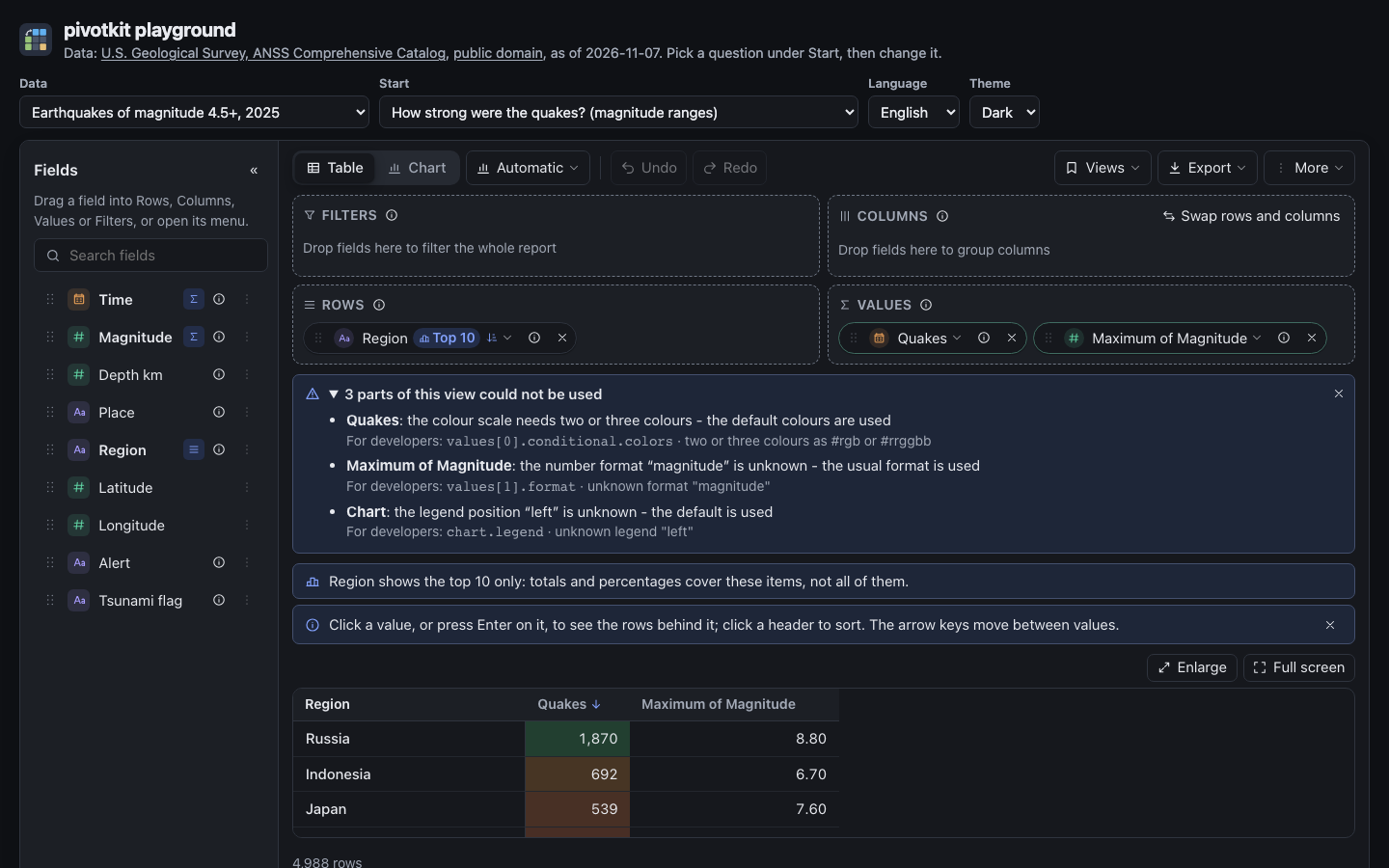
- Open the first time. The warning is open when it first appears for a view, with one line per part: what it is about in bold (the value's name, the field, or the part of the report such as Chart; two values of one name say which one, "Sum of Units (no. 2 in Values)"), what is wrong, and what the report does instead, for example "Quakes: the colour scale needs two or three colours - the default colours are used" or "Planet: the data has no field of this name - it is left out of Rows".
- The first three lines show (two on a narrow report); Show N more shows the rest, Show fewer hides them again.
- Fold it with a click on its title, or Enter or Space on it. It stays folded while you change the view; another view loaded opens it again.
- For developers: below each line, in small grey text, the part's place in the view
(
values[0].conditional.colors) and, after a dot, pivotkit-core's message. A person who builds reports can ignore it; a developer finds the setting with it. - Dismiss it with its x; the focus goes to what follows it (a tip, Enlarge, the table). It comes back when another view is loaded.
- A screen reader hears it once, when it appears: the warning's title, or, for a view you loaded from a file or a link, the status note "View loaded; some parts did not fit this data". The warning never takes the focus.
Every kind of part and what the report does instead
| What is wrong | The report |
|---|---|
| A field the data does not have (in Rows, Columns, Values, Filters or a sort) | leaves that field, value or filter out; a sort falls back to the usual order |
| A field twice in Rows and Columns, or sorted twice | keeps the first |
| A calculation (sum, average ...) that is unknown or does not fit the field | leaves the value out |
| A number format, "Show as" or colour format that is unknown or does not fit | shows the value without it |
| A colour scale without two or three colours, a bar colour that is no colour | uses the default colours |
| A filter that is incomplete (no items, no text, no number, Top without a count) | leaves the filter out |
| An item that does not fit the field (text in a number field) | leaves the item out |
| A grouping without a name, of a field that is gone or of the wrong type | leaves the grouping out |
| More entries or items than the limits allow | uses the first ones |
| A chart or display setting, language or time zone that is unknown | uses the default |
| A view made for another time zone | reads the times in the data's time zone |
| A view that is no view, too large, or from a newer pivotkit | starts empty |
The words come with the warning when a view has such parts, as a small file of their own; until
they are there (a moment), or when the file cannot be loaded, each line shows pivotkit-core's
short message in English instead. With a pivotkit-core older than the plain words (for
developers: one whose issues have no code), each line shows that message.
When the report cannot show anything
| Situation | The report shows |
|---|---|
| Data without a single column | "The data has no columns." in the field list. |
| No field placed | Three first steps and up to three saved views to start from. |
| A filter leaves nothing | A note that always shows, with Remove filter. |
| A layout over a limit | What to change: "This layout makes more than 500,000 groups of rows and columns. Remove a field with many values from Rows or Columns, or filter it." (limits) |
| A menu whose code could not be loaded (offline, say) | That it could not be loaded, with Try again. |
| Any other error | "The report cannot be shown:" and the error's message. |
Loading
While the report waits for its data, opens a shared link or reads a large data set, it shows grey shapes where the toolbar, the zones and the table will be, and a screen reader hears "Loading the report…" once. Reduced motion stops their shimmer. When the application loads new data later, the result is covered until it is there.
For developers
loading shows the skeleton; a menu chunk that is not deployed (dist/chunks/) is one reason for
Try again (files the package loads). Errors and
limits are in Locale, time zones, limits and errors.