Localisation
Two settings decide how a report reads:
locale(prop or attribute, default"en-US"): numbers, dates, currency, sorting, and the language of the labels. A locale starting withdepicks German, every other one English. A view's ownformatting.localewins for the numbers and dates of that report. The browser's language is never used, so a report looks the same for everyone; on the web component, the element's ownlangattribute is used whenlocaleis not set.labels: single texts merged over the language's labels.
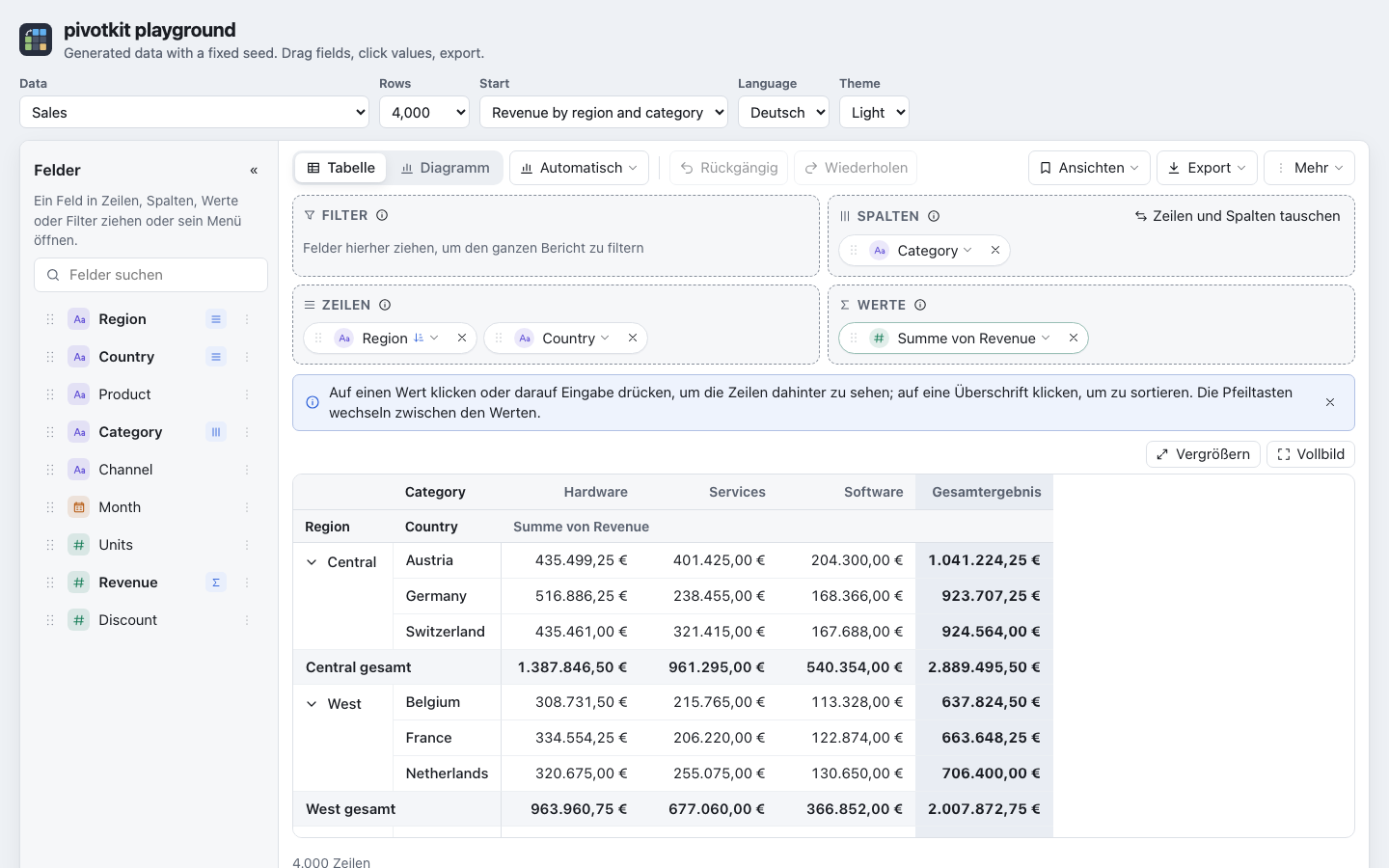
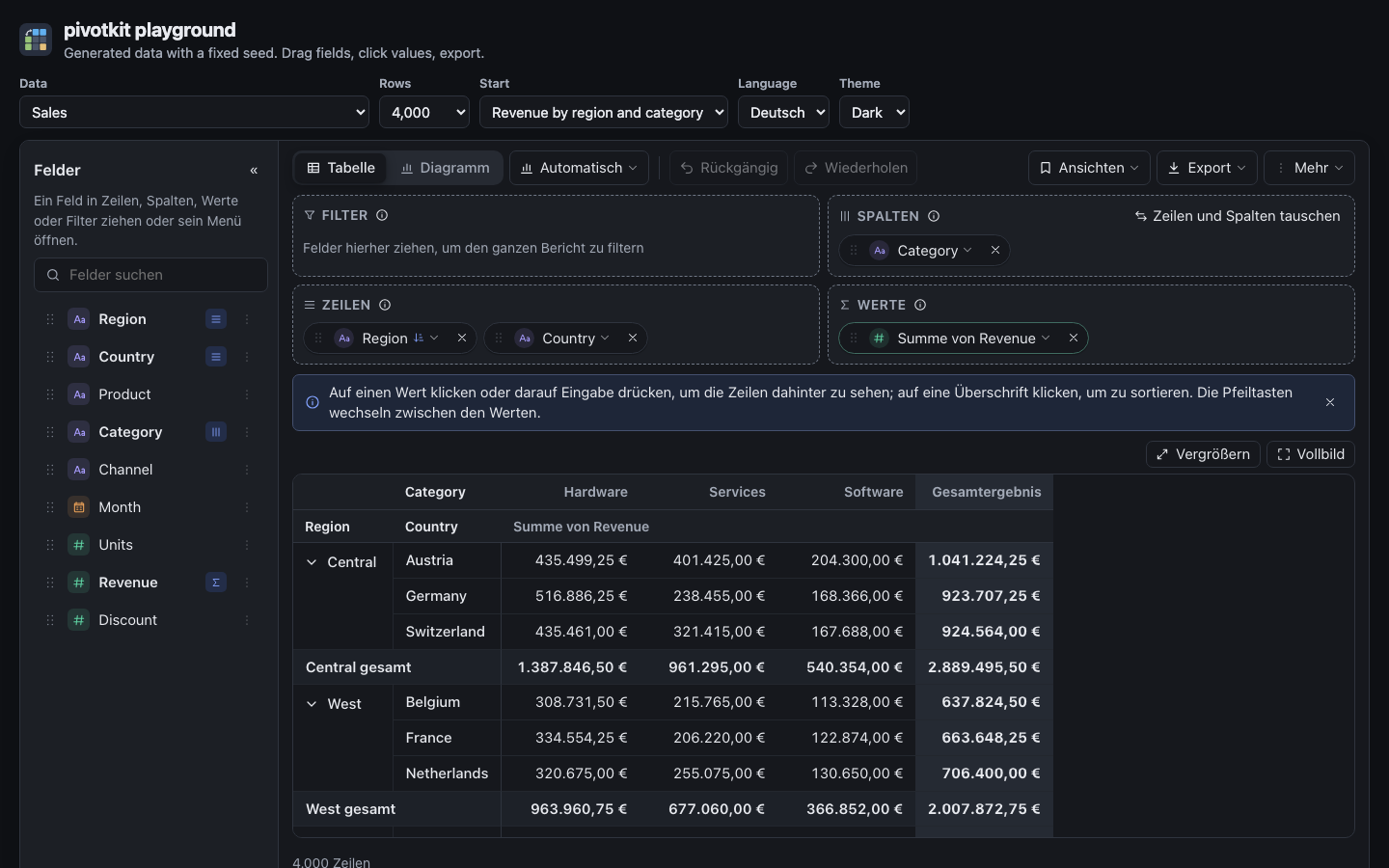
Built-in languages
| Language | Picked by | Labels |
|---|---|---|
| English | every locale not listed below | LABELS.en |
| German | de, de-DE, de-AT, de-CH, ... |
LABELS.de |
LABELS is exported by pivotkit-react's subpath pivotkit-react/labels (import { LABELS } from "pivotkit-react/labels"; a subpath of its own, so the report's first load does not carry the menus' texts); its keys are the
reference for every text (in the source: src/labels.js, src/menu-labels.js,
src/menu-labels-de.js, src/unused-texts.js and src/unused-texts-de.js of pivotkit-react). The report's lang attribute follows the labels, so screen readers use the
right voice.
The texts only the menus show load with the menus, right after the first render: English with them,
German as a file of its own that only a German report loads (also when locale changes to German
later). The file follows the labels' language, not the locale alone: labels with lang: "de" (a
whole German object of a host's) loads it too, any other lang takes the English menu texts under its
labels. A menu waits for its language's texts and shows "Loading…" until then, never English first;
while the language changes with a menu open, the menu keeps its texts until the new ones are there.
A host's text for a menu entry wins over the built-in one in every language.
The words that say a view's unused parts
(labels.unused) load only when a view has such parts: English with German as a second small file
for a German report. Until they are there, or when they cannot be loaded, each line shows
pivotkit-core's short English message; German falls back to English. The warning's title
(unusedParts, a count), the prefix of its technical line (unusedPath) and its button for the
lines past the first few (unusedMore, a count, and unusedFewer) are part of the first load.
labels.unused.codes has one text per issue code (VIEW_ISSUE_CODES of pivotkit-core) with the
placeholders {field}, {value}, {agg}, {type}, {max}, {zone}, {setting} and {dropped}
(what the report does instead, from labels.unused.dropped by the part of the view); other is the
text for a code it does not know, item puts the subject and the text together
("{subject}: {text}"), quote quotes a key of the view ("“{key}”"), and position tells two
lines of one name apart ("{subject} (no. {n} in {part})").
Changing single texts
labels is merged deeply over the language's labels; an entry of the wrong type is ignored.
labels.core holds the texts pivotkit-core writes into the table and the chart ("Grand Total",
"(blank)", "Sum of ...").
<PivotReport
    data={rows}
    locale="de-DE"
    labels={{ zones: { values: "Kennzahlen" }, core: { grandTotal: "Summe" } }}
/>
// the web component: labels is a property
report.labels = { zones: { values: "Kennzahlen" }, core: { grandTotal: "Summe" } };
{name} placeholders in a text are filled in. A count (rowsCount, drillCount, chartCategories,
chartSeries) is an object with one text per plural category of the language, picked with
Intl.PluralRules for the labels' lang:
{ rowsCount: { one: "{count} row", other: "{count} rows" } }
A language with more forms adds them (few, many); a missing form falls back to other.
The tips are labels.tips (one text per tip id; a text under an earlier key, topNote,
bottomNote, noValuesHint, cellHint, emptyHint, chartManySeries, chartDatesOnColumns or
chartCapped, still applies unless labels.tips has the tip's own entry; labels.tips.showAs one per percentage
calculation), their buttons labels.tipActions, the keyboard shortcuts of the help section
labels.shortcuts and labels.keys.
Field names are not labels: a field's display name in any language comes from fieldDefaults
(label), see Field descriptions and names. A host that shows German names
passes German labels there; views keep the field names, so a saved view works in every language.
Another language
There is no registry of languages: another language is a whole labels object with its own lang,
passed as labels, next to the locale for its numbers and dates.
import { LABELS } from "pivotkit-react/labels";

const fr = { ...LABELS.en, lang: "fr", zones: { ...LABELS.en.zones, rows: "Lignes", cols: "Colonnes" } /* ... */ };

<PivotReport data={rows} locale="fr-FR" labels={fr} />
Start from a copy of LABELS.en so every key exists, and translate what you need; untranslated keys
stay English.