Templates and shared views
A template is a view with a name: "Open work per team", "Revenue by region". The report's Views menu lists them in two groups:
- Shared views - the same for everyone who uses the report: the views your application provides (presets, a team's standard reports).
- My views - the user's own: saved with Save current view, kept by your application or by the browser.
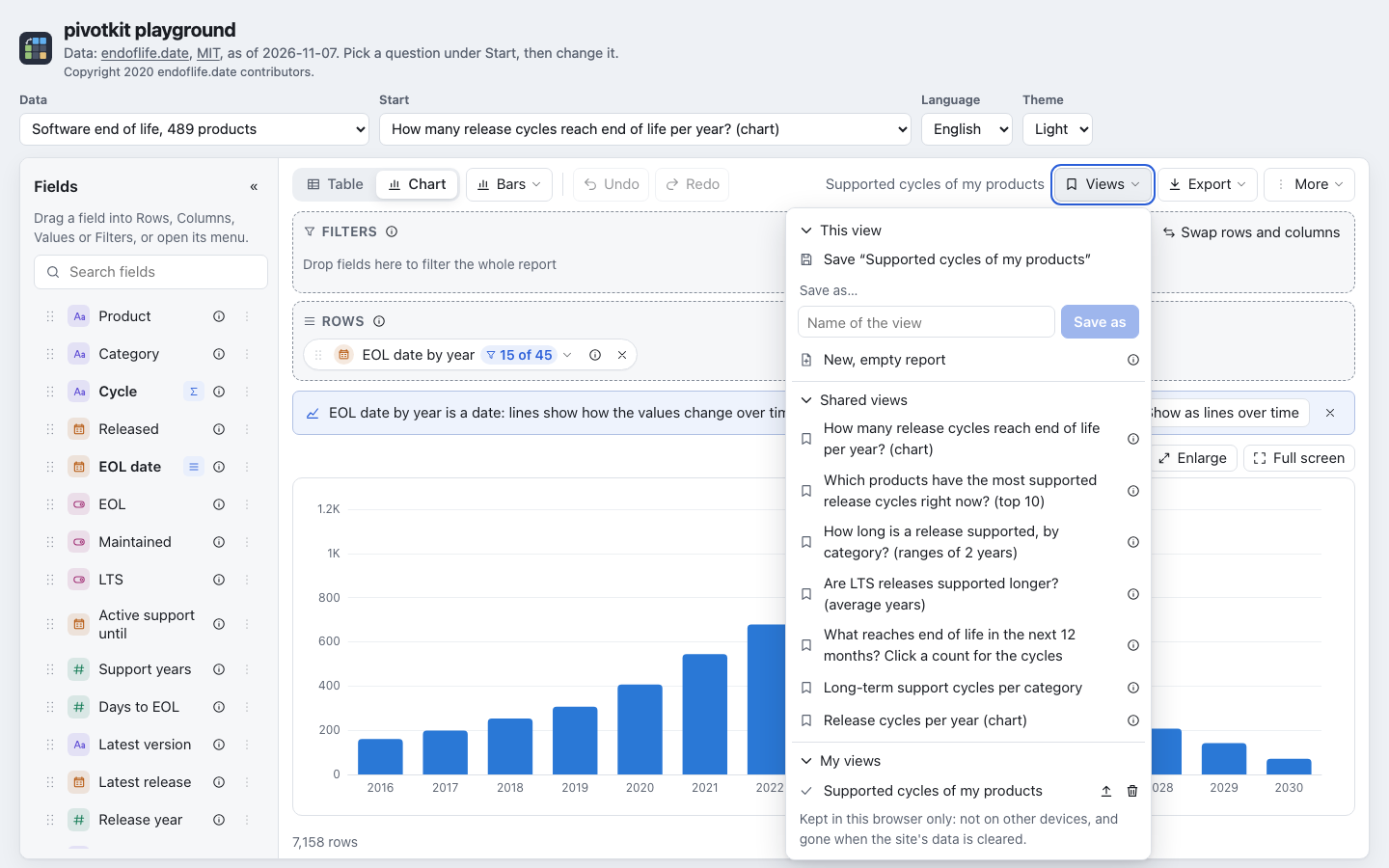
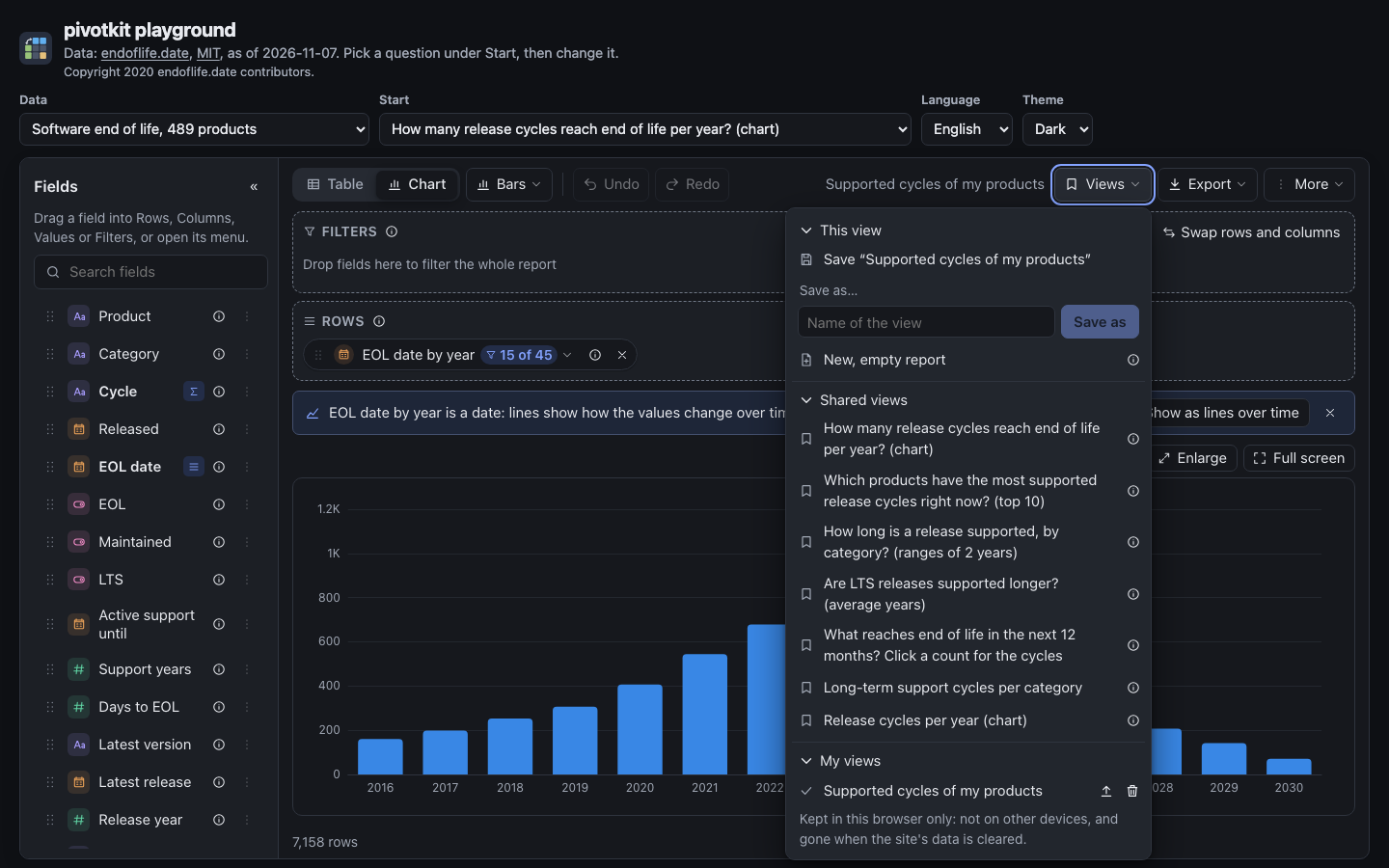
Each entry loads its view with one click. An entry that can be deleted has a delete button (asked
in place before it goes). Where someone can change shared views here (a shared entry is deletable,
or Publish is offered), a shared view that cannot be deleted has an "i": "Only admins can change shared
views." (labels.settingInfo.sharedView, so a host names its own role; shown while Show
explanations in Options is on). When your application allows it, each of
the user's views has Publish as shared view (asked in place too). A group without entries is not
shown; "My views" shows while people can save. The first three entries are also offered in the empty
report. Every view that comes in this way is user input: the report checks it against the data
(a view is user input).
What a template is
The templates prop (a property on the element) is a list of entries:
| Key | What |
|---|---|
name |
The name in the menu, plain text. For a view file, its name is used when the entry has none. |
view |
The view, as onViewChange gives it. |
file |
Instead of view: a view file (format: "pivotkit-view"), its object or its text, as people download and share it. |
scope |
"shared" (Shared views) or "user" (My views). Without it, an entry marked deletable is the user's own and every other one is shared. Set it on every entry: a deletable shared view without it would be listed under "My views" (the console says so once). |
deletable |
true shows a delete button, when the report has a delete to call (onDeleteTemplate). |
An entry without a name or without a usable view is left out. Names need not be unique: every entry is shown in order, and a delete or publish asks about that entry.
Where they are kept
Your application keeps them (callbacks)
You keep the templates where you keep other data (a database, a settings service) and pass them as
templates. The report asks you to change them:
| React | Element | When |
|---|---|---|
onSaveTemplate(name, view, { scope }) |
save-templates, event pivot-template-save ({ name, view, scope }) |
Save current view and Save as…; Save on one of the user's own views of templates; scope is "user". |
onDeleteTemplate(name, { scope }) |
event pivot-template-delete ({ name, scope }) |
Delete of a deletable entry, after the user confirmed; scope is its group. |
onPublishTemplate(name, view) with canPublish |
can-publish, event pivot-template-publish ({ name, view }) |
Publish as shared view on one of the user's views, and Save on a shared view loaded, each after the user confirmed. |
Each callback may return a promise (the element: event.detail.respondWith(promise)): the report
says "saved", "deleted" or "published" when it resolves, and the error's message when it rejects.
Then pass the new list as templates.
Save by name: replace, do not add
Save sends the loaded view's own name, and Save as a name that exists once the user
confirmed "Replace it?". Replace the view of that name (an upsert by name, per user for
scope: "user"); adding a second entry would leave two views of one name. The view sent is the
one shown: normalized against the data, with your custom orders (fieldDefaults.order), the
same for Save and Publish. Who may publish or delete shared views is your decision:
pass canPublish and mark shared entries deletable only for the people who may (an admin role,
say). The report only shows what you allow: your server must check who may save, publish or delete,
and validate every view it receives as user input. A published view is sent normalized against the
data, never as it was stored.
function Report({ rows, user }) {
    const [templates, setTemplates] = useState([]);
    const load = () => fetch("/api/views").then((r) => r.json()).then(setTemplates);
    useEffect(() => { load(); }, []);
    return (
        <PivotReport
            data={rows}
            templates={templates}
            onSaveTemplate={(name, view) => post("/api/views/mine", { name, view }).then(load)}
            onDeleteTemplate={(name, { scope }) => remove(`/api/views/${scope === "shared" ? "shared" : "mine"}/${encodeURIComponent(name)}`).then(load)}
            canPublish={user.isAdmin}
            onPublishTemplate={(name, view) => post("/api/views/shared", { name, view }).then(load)}
        />
    );
}
A sketch of the REST side, in any language; the paths are an example:
| Request | Answer |
|---|---|
GET /api/views |
[{ name, view, scope, deletable }]: the shared views (deletable for admins) and the user's own (deletable: true) |
POST /api/views/mine |
{ name, view }: saves a view of the user's |
POST /api/views/shared |
{ name, view }: publishes a shared view; admins only |
DELETE /api/views/mine/{name}, DELETE /api/views/shared/{name} |
deletes one; shared ones for admins only |
Read what comes back as user input: pivotkit-core's parseTemplates (below) checks a list and caps
it, and the report checks every view against the data before it shows it.
The browser keeps "My views" (templateStore="browser")
Without a server of your own, the report can keep the user's own views itself:
<PivotReport data={rows} templates={shared} templateStore="browser" storageKey="sales" source={{ id: "sales" }} />
<pivot-report template-store="browser" storage-key="sales" source-id="sales"></pivot-report>
- The views are kept in the browser's
localStorageunderpivotkit:views:<storageKey>(pivotkit:viewswithout one; give each report on a page its ownstorageKey), as view files that name the data they were made for (source): a report shows the views of its own data and those made for no named data. - They are only in this browser on this device, gone when the site's data is cleared, and not shared with anyone. The menu says so under "My views".
- At most 100 views and 500,000 characters; a save beyond that, or one the browser refuses (storage blocked or full), says why and keeps nothing. Deletes are never refused by the caps, so a store over them (older caps, changed by hand) can always shrink; a stored text over 500,000 characters is not read at all (one console warning) and the next save replaces it. A delete whose view was changed in another tab meanwhile says so and deletes nothing. Saving a view under a name it already has for the same data replaces it.
- What is stored is read as user input (
parseTemplates), and it is read after the first render, so a report rendered on the server hydrates without a mismatch. onSaveTemplatewins: with it, saves go to your application, and views stored earlier are still listed and can be deleted. Yourtemplates(shared views, say) are listed with the stored ones.
Templates in an OpenAPI document (x-pivotkit-views)
An API that describes its data with OpenAPI or JSON Schema can carry its shared views next to it, in
the extension x-pivotkit-views: a list of view files, { name, view } entries or views with a
name. This is pivotkit's own convention, not part of OpenAPI or JSON Schema (an x- key is the
place both leave for extensions). The views name the fields of the rows the report gets.
components:
  schemas:
    Release:
      type: object
      properties:
        product: { type: string, title: Product }
        cycle: { type: string, title: Cycle }
        lts: { type: boolean, title: LTS }
      x-pivotkit-views:
        - name: Long-term support cycles per product
          view:
            rows: [product]
            cols: [lts]
            values: [{ field: cycle, agg: count }]
        - format: pivotkit-view
          formatVersion: 1
          name: Cycles per product (chart)
          view: { rows: [product], values: [{ field: cycle, agg: count }], display: chart }
import { fieldDefaultsFromSchema } from "pivotkit-core";
import { templatesFromSchema } from "pivotkit-core/templates";

const fieldDefaults = fieldDefaultsFromSchema(openapi, { schema: "Release" }).defaults;
const { templates, issues } = templatesFromSchema(openapi, { schema: "Release" });
// <PivotReport templates={templates.map((t) => ({ ...t, scope: "shared" }))} fieldDefaults={fieldDefaults} ... />
templatesFromSchema reads the extension of the schema options.schema names (a schema of
components.schemas or definitions, or a local $ref), else of the document's root. It follows
references inside the document only and fetches nothing. The live demo shows it with
the endoflife.date data: the playground adds two views to its copy of the API's OpenAPI document (a
demo extension; the API's own document has none) and lists them under Shared views.
Reading a list of templates (parseTemplates)
import { parseTemplates } from "pivotkit-core/templates";

const { templates, issues } = parseTemplates(await response.text());
// templates: [{ name, view, description?, source? }]; issues: what was left out and why
It takes a list (or its JSON text) of view files, { name, view } entries and views with a name,
and never throws. It caps the text and the number of templates before it reads them
(TEMPLATE_LIMITS: 5,000,000 characters, 500 templates), reads every key as an own property, makes
names and descriptions plain text, and leaves out an entry without a name or a usable view, or of a
newer format or view version, with an issue. The views are still user input: the report (or
normalize()) checks them against the data. See the pivotkit-core reference.